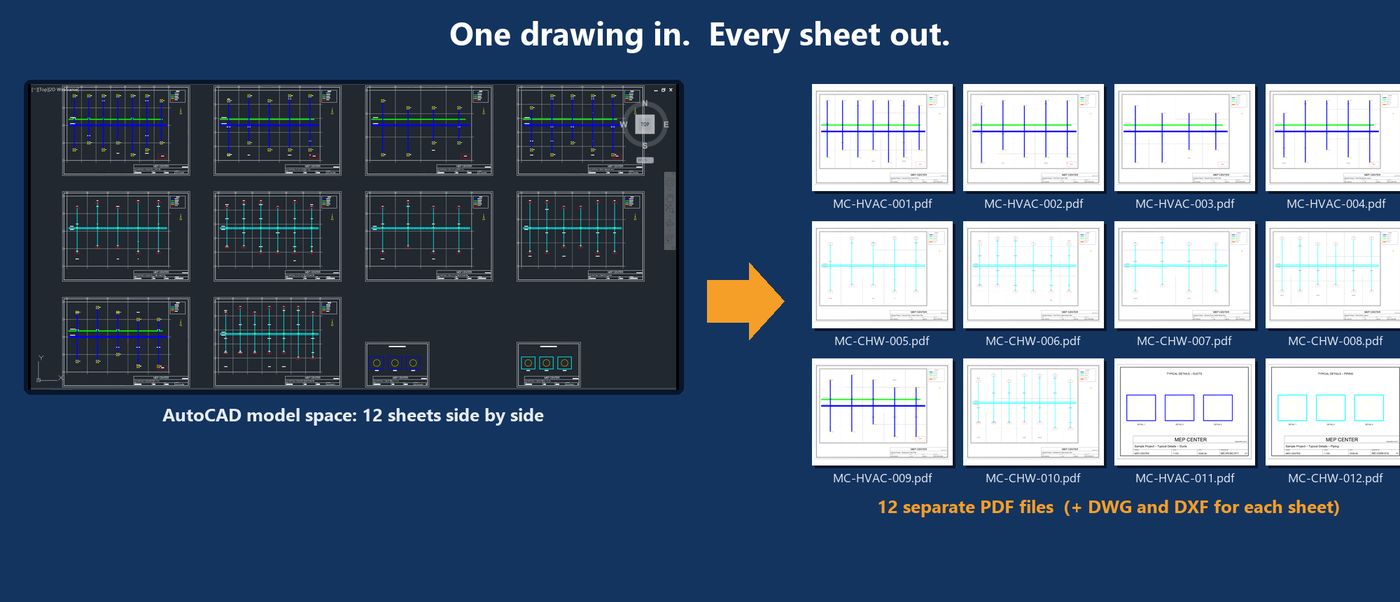
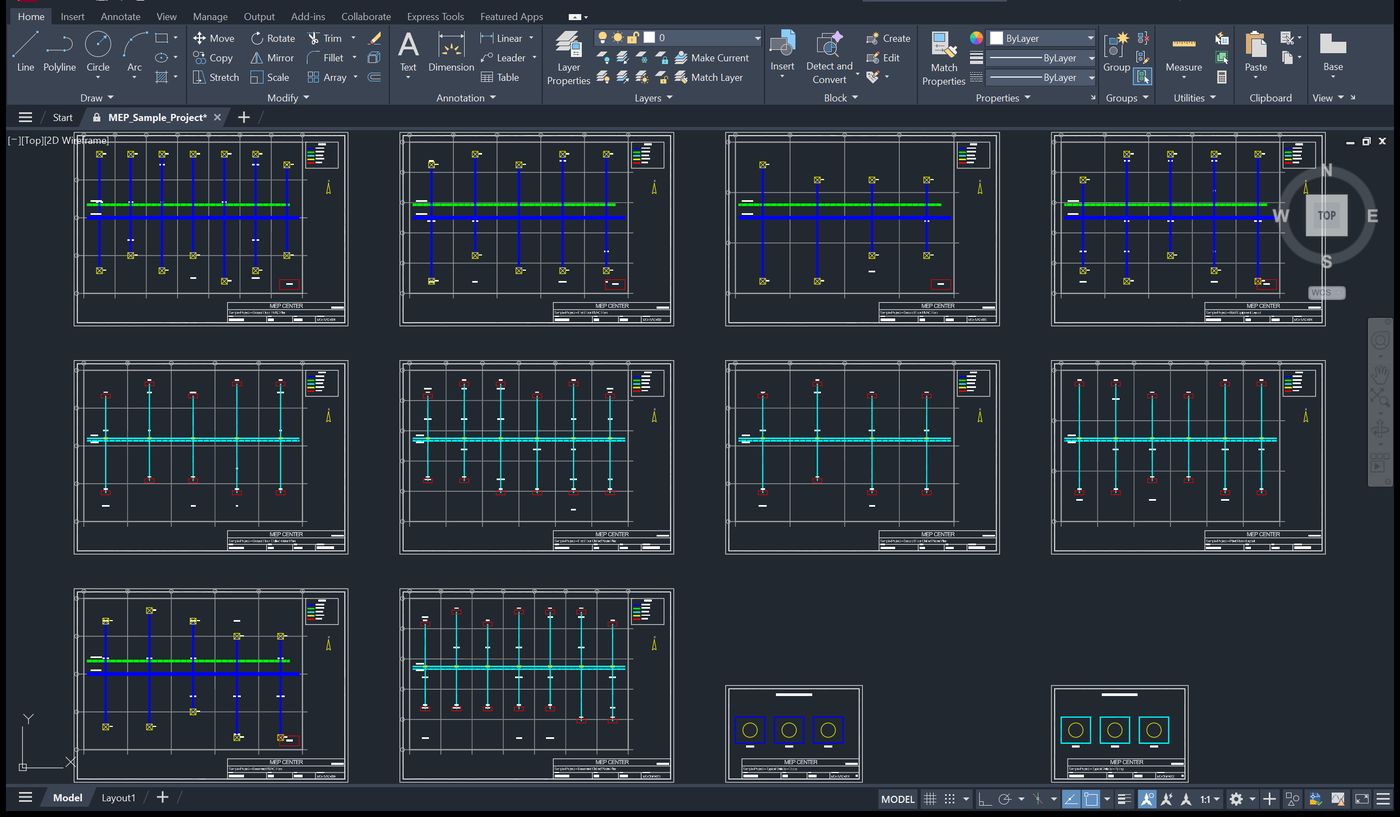
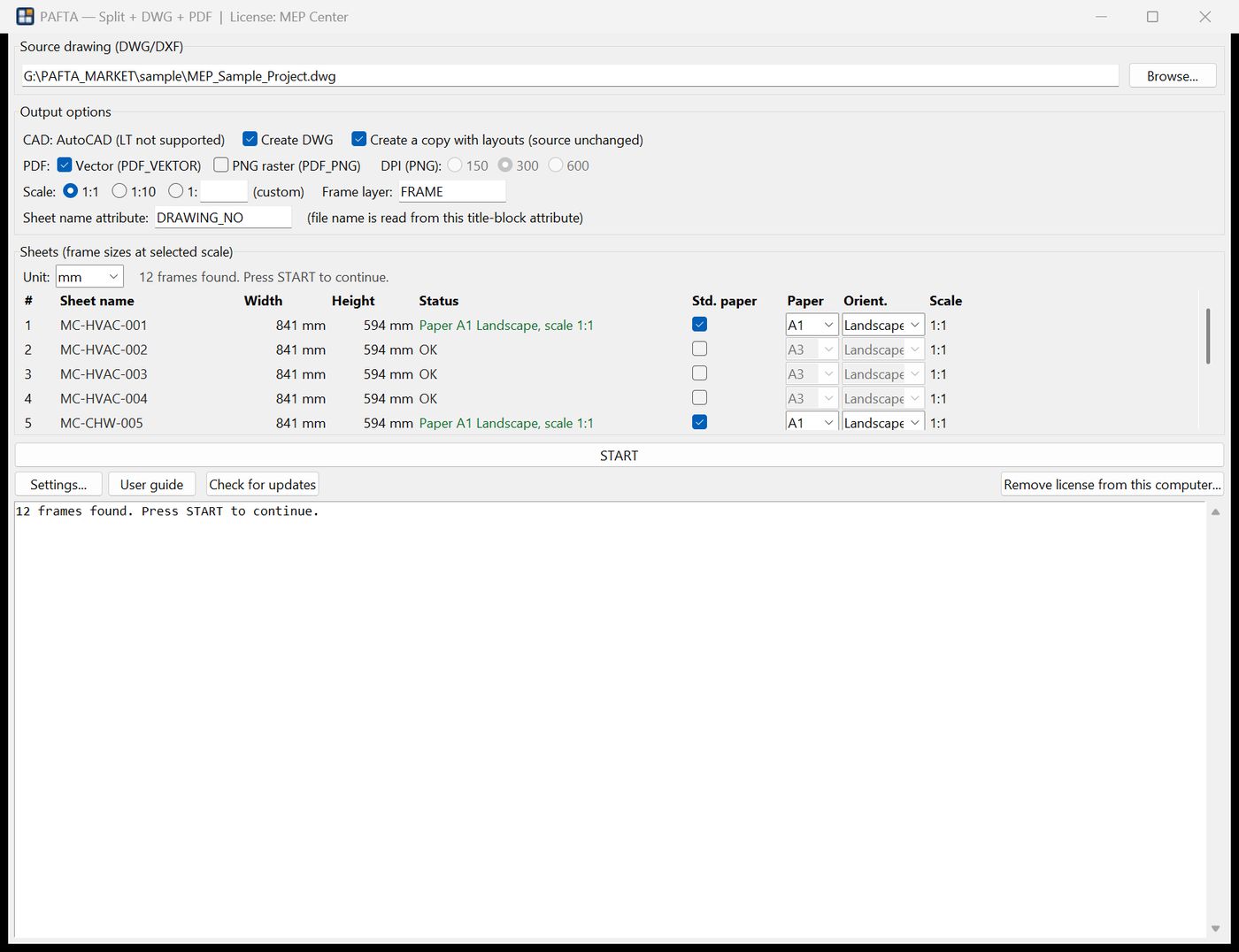
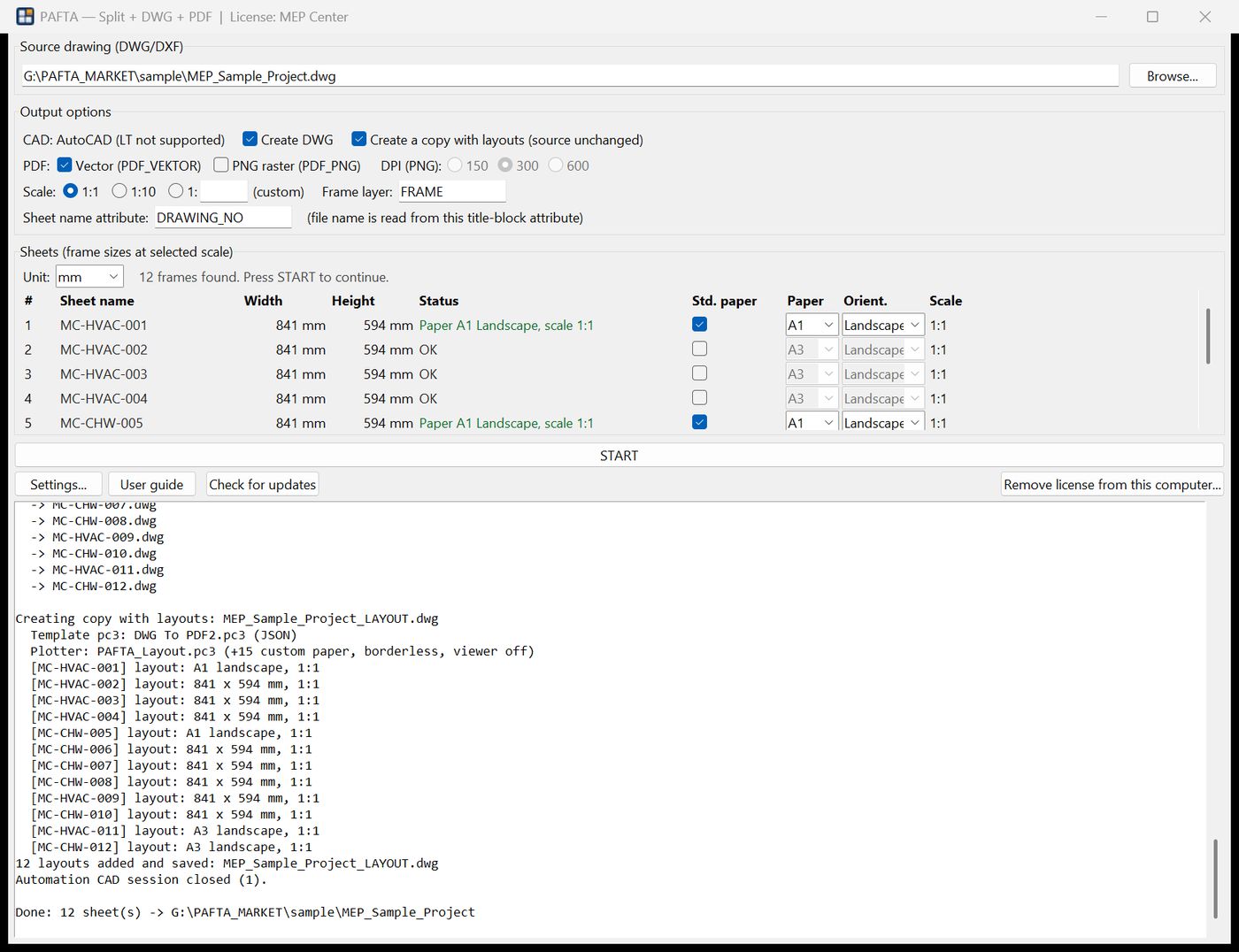
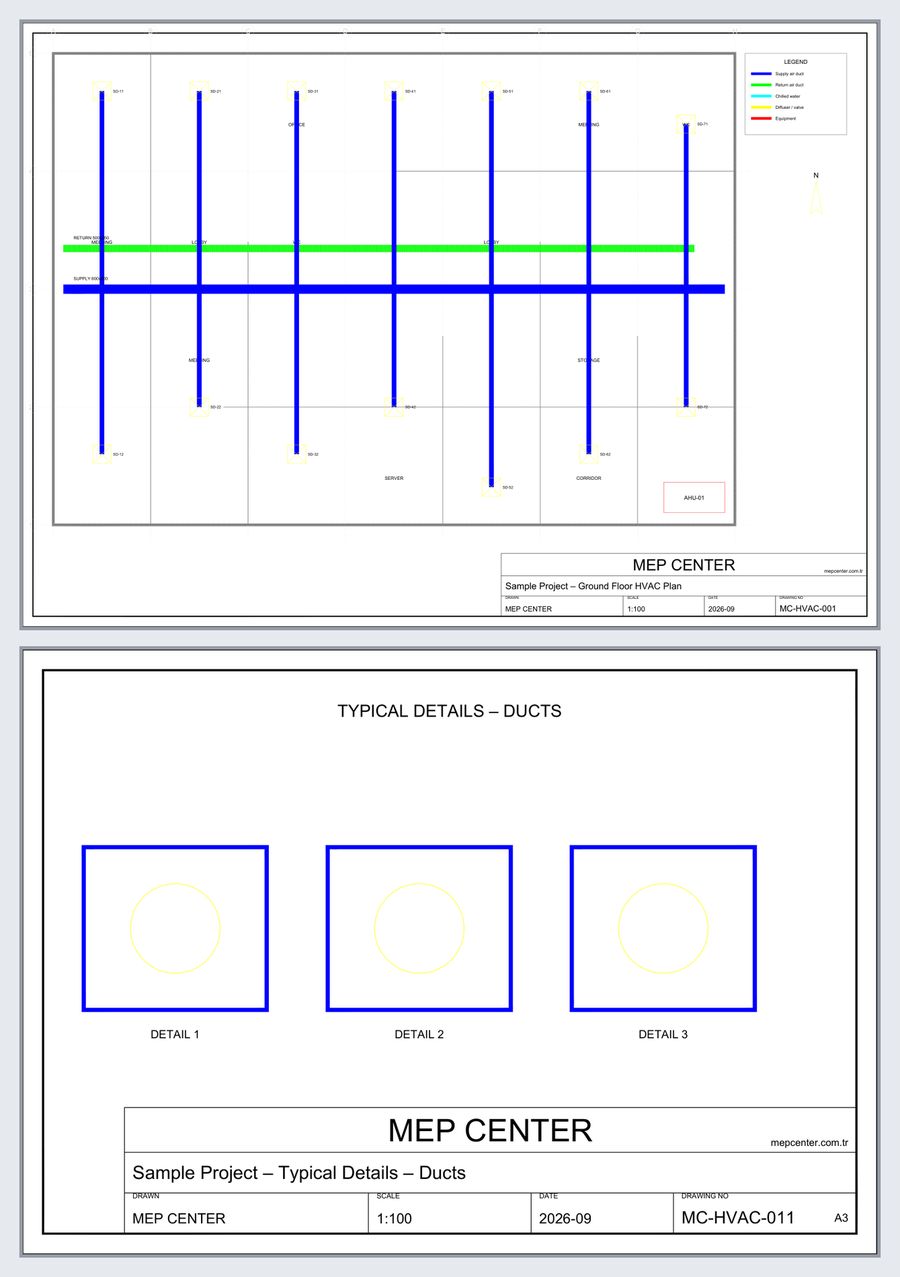
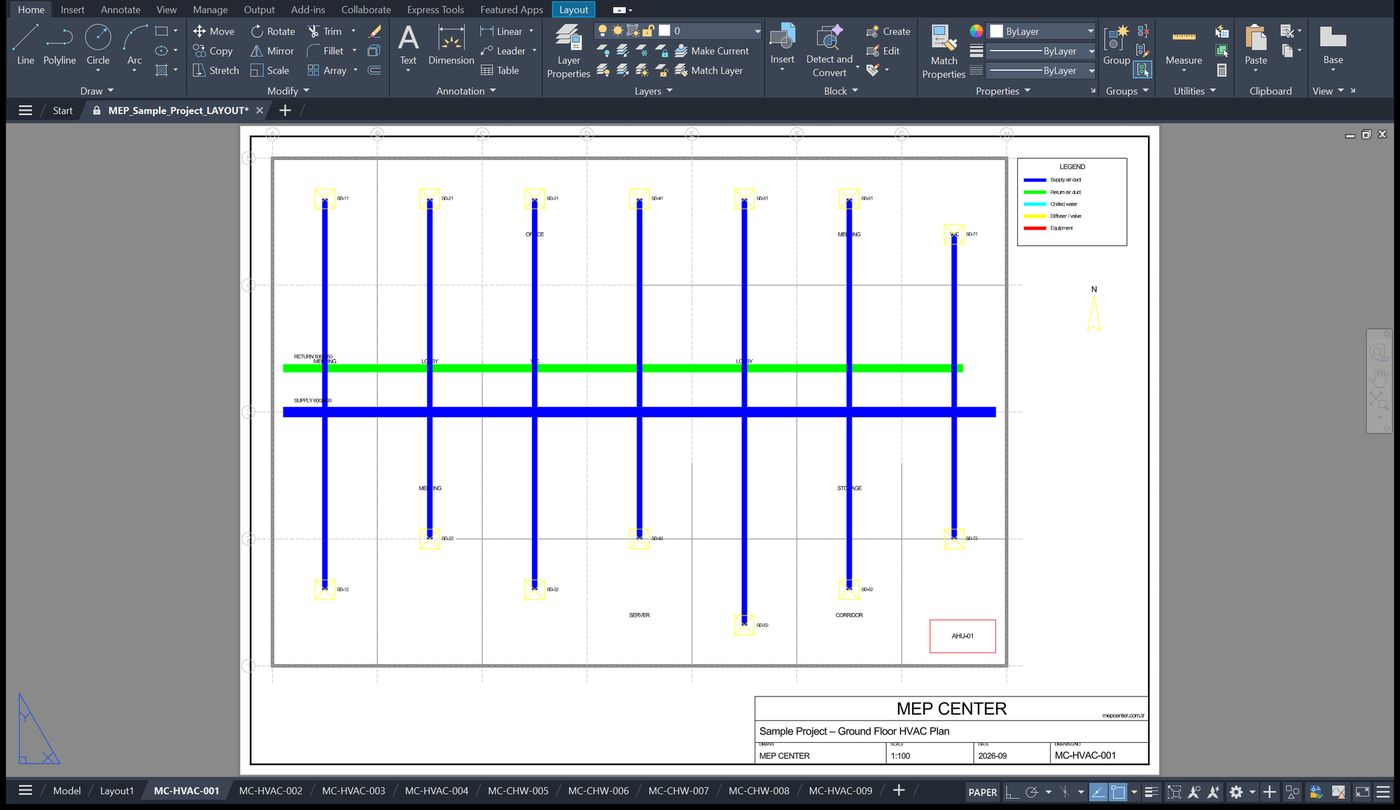
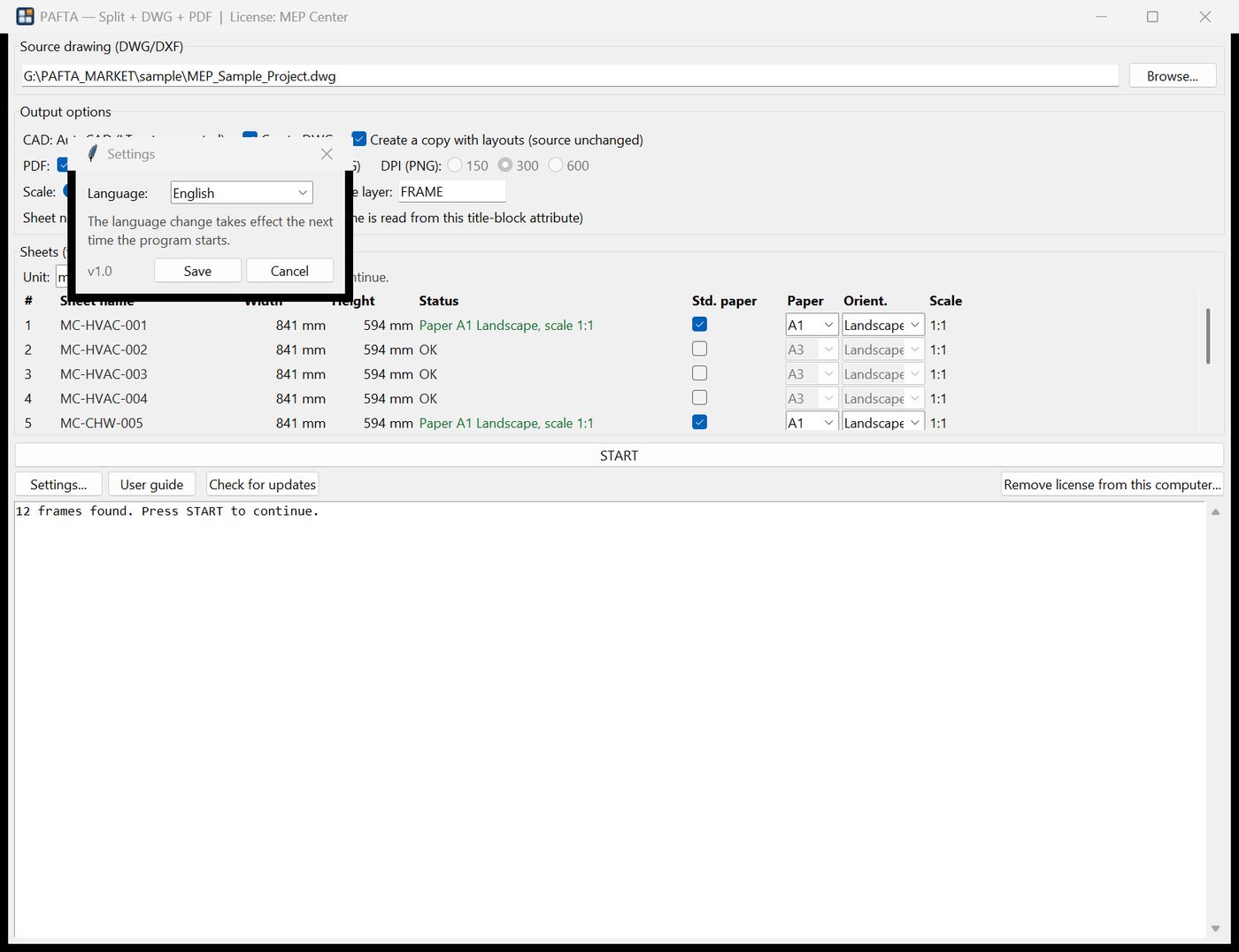
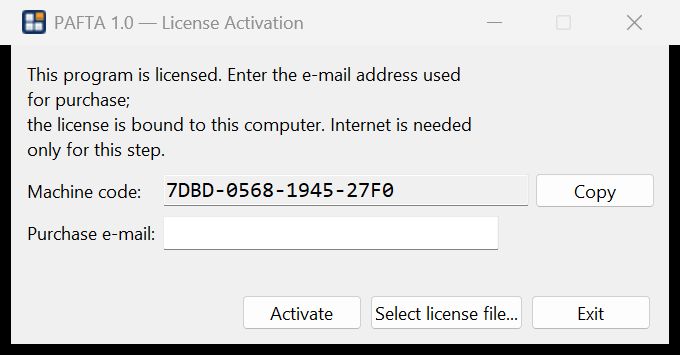

The ZIP contains the digitally signed installer (EMECH CENTER OÜ – Microsoft Trusted Signing), the user guide and a README. If Chrome shows a “not commonly downloaded” warning, choose Download suspicious file / Keep: it only means the file is new and not yet widely downloaded. You can verify the signature yourself: right-click the installer → Properties → Digital Signatures. When you start the installer, Windows SmartScreen may show “Windows protected your PC” with publisher EMECH CENTER OÜ: click Run anyway. Both warnings disappear automatically as the download count grows.
12 sheets in the pictures are just an example – there is no limit. A drawing with 40, 100 or 300 frames is processed the same way, in one run.
Stop cutting sheets by hand
If your P&IDs, PFDs, HVAC or electrical drawings keep all their sheets side by side in model space, you know the routine at every submission: copy the frame, wblock it, open it, set up a page, plot, rename, repeat – twenty, fifty, a hundred times. A single revision means doing it all again.
PAFTA does the whole routine in one pass. Select the drawing, press ANALYZE, check the sheet list, press START. A 40-sheet drawing is done in about ten minutes of unattended processing instead of an afternoon of clicking.
What you get for every sheet
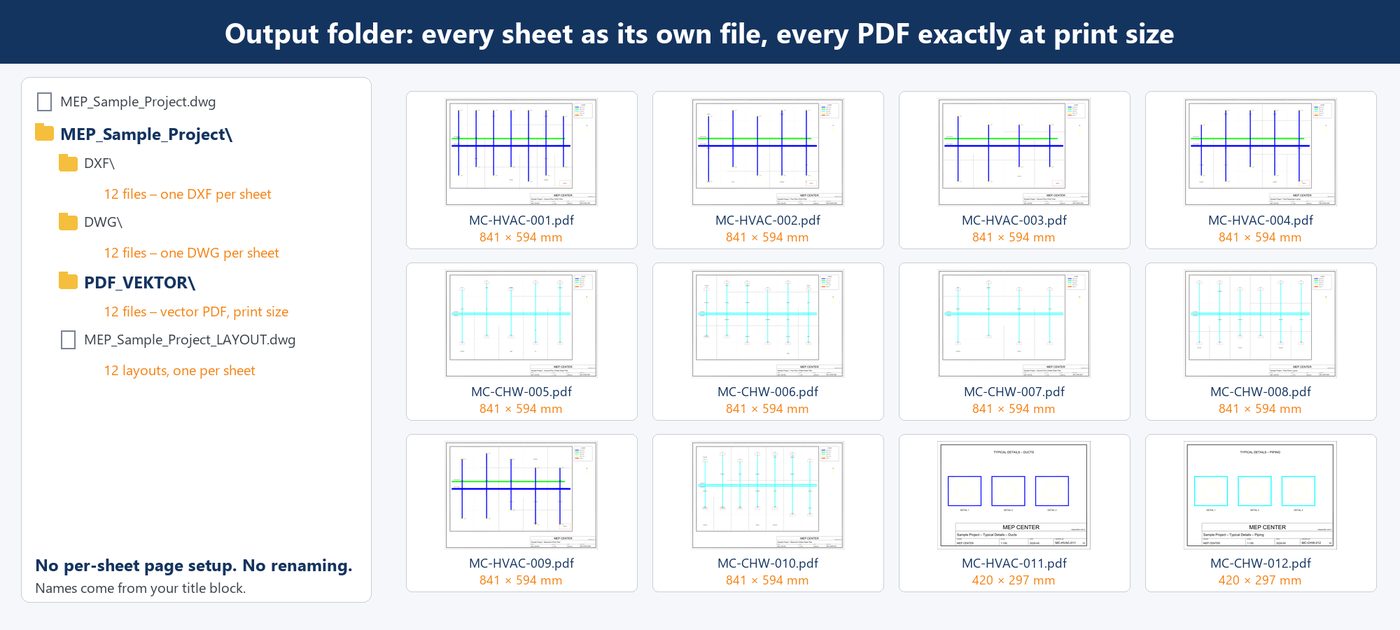
- ✅ DXF – only the entities inside that frame
- ✅ DWG – converted by your own AutoCAD, opens like any drawing
- ✅ Vector PDF – plotted by AutoCAD with your CTB, transparency and line weights, borderless, exactly frame size × scale
- ✅ Raster PDF (optional) – 150/300/600 DPI for heavy drawings or quick previews
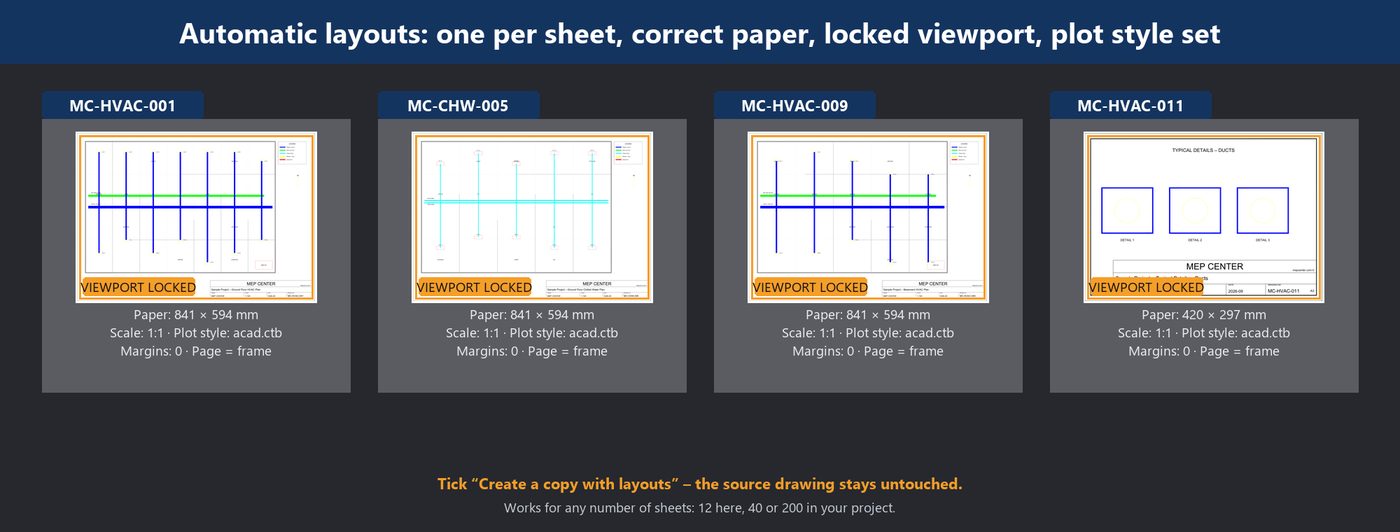
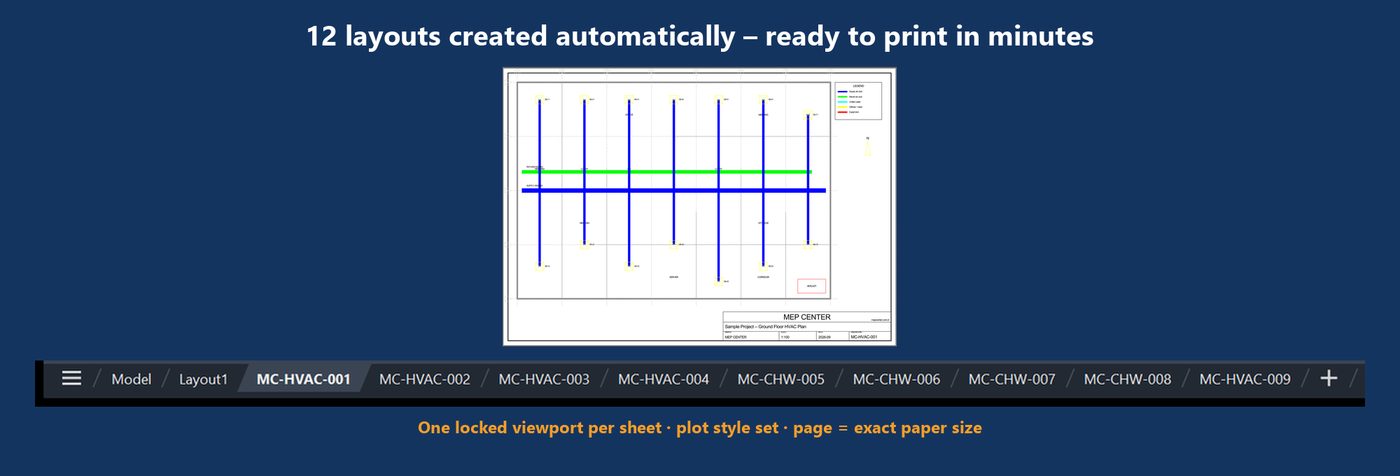
- ✅ A layout per sheet (optional) – in a copy of the drawing: locked viewport showing exactly the frame, plot style already set. Ctrl+P and print.
File names come straight from your title block (e.g. MC-HVAC-007.pdf). Duplicate numbers get _1, _2 … Your original drawing is never modified.
Why it saves you hours
- 🖨 Custom plotter sizes, done for you. Every PDF is produced exactly at the sheet’s print size – 841 × 594, 1643 × 656, whatever your frame is – with no per-sheet page setup, no custom paper definitions, no plot dialog. Press START once.
- 📁 One folder, everything in it. 12 sheets in → 12 PDFs, 12 DWGs and 12 DXFs out – or 200 in → 200 out – named exactly like your title block.
- 📐 Beyond AutoCAD’s 5080 mm limit. AutoCAD cannot plot a page longer than 5080 mm (200 in). PAFTA plots such sheets in parts and merges them into one true-size PDF page – long PFDs and pipe-rack drawings are no longer a problem.
- 🗂 Layouts in minutes, not afternoons. Tick one box and a copy of your drawing gets a ready-to-print layout per sheet – locked viewport, correct paper, plot style set.

Fits any paper, handles any size
- Assign a sheet to A0–A5, landscape or portrait: PAFTA works out the scale at which the frame fits, centres it and shows the scale in the table.
- Put a
SIZE = A3attribute in your title block and the paper is selected automatically. - Sheets higher than 1067 mm (roll width) get a warning and a suggested scale.
- Sheets longer than 5000 mm – beyond what AutoCAD can plot on one page – are plotted in parts and merged into one long, true-size PDF page. (Layouts are not created for these sheets because AutoCAD has no paper larger than 5080 mm; the PDF, DWG and DXF are.)
Why engineers like it
- ⏱ Time – minutes instead of hours, and the computer does the waiting, not you.
- 🎯 Consistency – every sheet plotted with the same CTB, the same borderless page, the same naming. No forgotten settings.
- 🔁 Revisions – re-run and every output is regenerated from the current drawing; earlier outputs are kept in a numbered folder.
- ⌨ Batch – a command-line version (
PAFTA_konsol.exe) for scripts and scheduled jobs. - 🌍 11 languages – interface, log messages and user guide in English, Turkish, German, French, Spanish, Russian, Arabic, Chinese, Japanese, Korean and Urdu.
Automatic layouts – ready to print in minutes
Tick Create a copy with layouts and PAFTA writes <name>_LAYOUT.dwg next to your outputs with one layout per sheet – 12, 40 or 200 of them:
- ✅ Layout named after the sheet (
MC-HVAC-001, …) - ✅ Paper = exact frame size × scale, or A0–A5 if you chose a standard paper – no custom paper definitions by hand
- ✅ One locked viewport showing exactly the frame – nothing from neighbouring sheets, no accidental zoom or move
- ✅ Plot style (CTB), zero margins and 1:1 already set – open the tab, Ctrl+P, print
- ✅ Your original drawing is never modified


Works with your AutoCAD, not instead of it
PAFTA drives the AutoCAD you already own through its automation interface, in a separate session – your open drawings are untouched. There is no cloud upload; your drawings never leave your computer.
Requirements
- Windows 10/11, 64-bit
- Full AutoCAD 2018 or later, including Architecture, MEP, Mechanical, Electrical, Plant 3D and Civil 3D. AutoCAD LT is not supported (LT has no automation interface).
- Nothing else – Python and all libraries are bundled in the signed installer (EMECH CENTER OÜ).
Try it first – free demo
Download the demo (ZIP): fully functional for 7 days, processes the first 3 sheets of each drawing, needs an internet connection at start-up. Demo and full version install side by side.
Licensing
Lifetime license, free updates for v1.x. 1 computer €50 – each additional computer +€15 (2 computers €65, 3 computers €80, 5 computers €110, 10 computers €185; need more? write to us). Choose the number of computers above. One order e-mail activates the program on every licensed computer; you can move a seat to another computer yourself. After checkout, download the full-version installer (58 MB, signed), start it and activate once with the e-mail address of your order (internet needed only for that step), then work offline. Move the license to another computer yourself with one click – no tickets, no waiting.
| Computers | Price |
|---|---|
| 1 | €50 |
| 2 | €65 |
| 3 | €80 |
| 5 | €110 |
| 10 | €185 |
| Each additional computer +€15 · lifetime · one order e-mail for all seats | |
FAQ
Does it work with AutoCAD LT? No. LT has no COM automation, so DWG conversion, plotting and layouts are not possible.
Does it upload my drawings anywhere? No. Everything runs on your computer with your AutoCAD.
How does it find the sheets? Closed polylines on the frame layer (default FRAME) are the sheet borders; the sheet name is read from a title-block attribute (default DRAWING_NO). Both are configurable.
Can I change the language later? Yes, in Settings; it takes effect at the next start.
Support: serhat@mepcenter.com.tr
Reviews
There are no reviews yet.