
Get it free from the Microsoft Store
Pofuduk opens even large drawings and reports instantly and gives you the tools you use every day — without a subscription. Download and try it before you buy.
Mark up and review
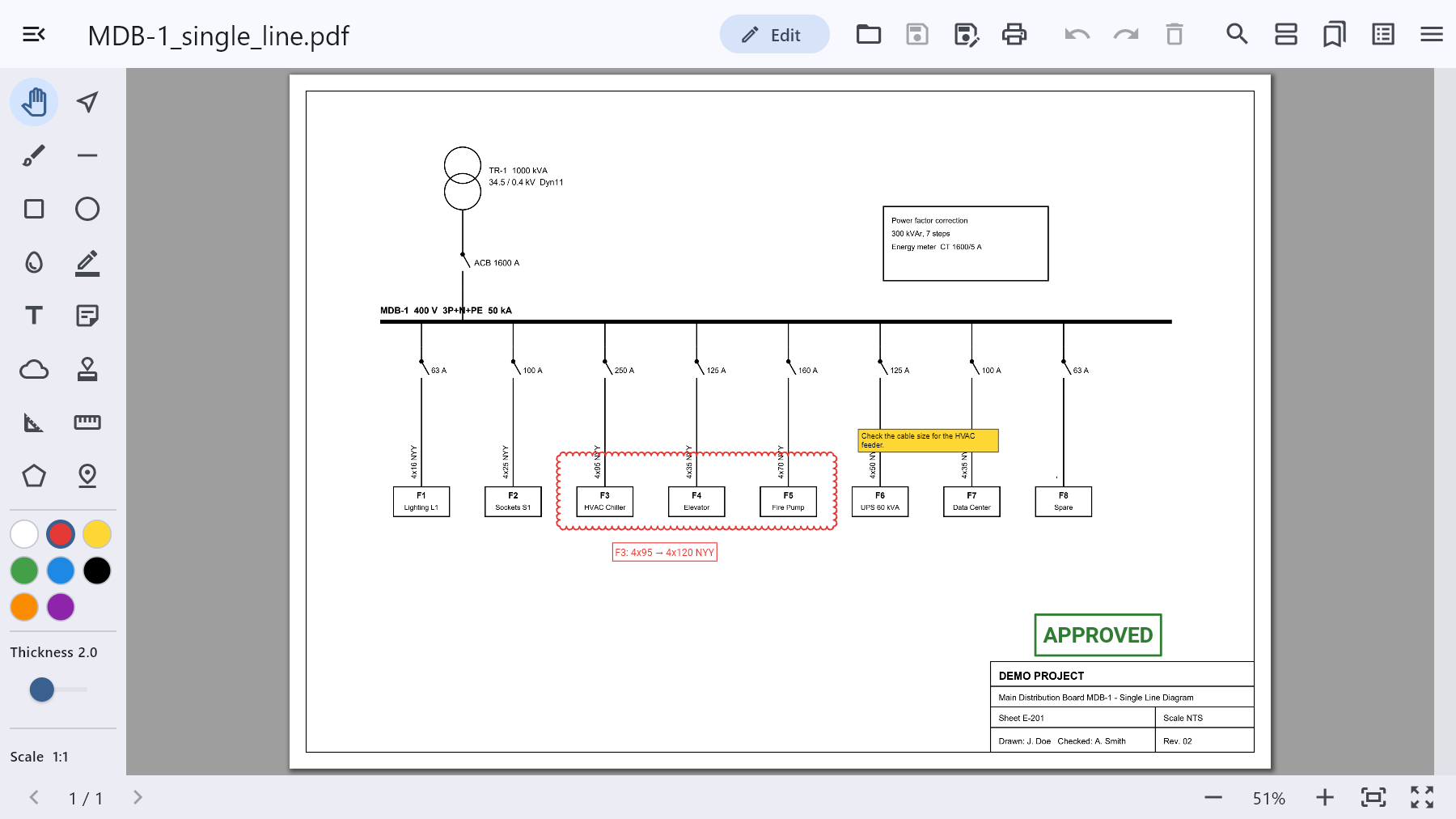
Draw revision clouds, lines, rectangles and circles, highlight text, add comments and text boxes, and stamp sheets APPROVED, REVISED or VOID — or with your own text. Markups are saved as standard PDF annotations, so they show up in any PDF reader, and they stay editable when you reopen the file in Pofuduk.
Measure to scale
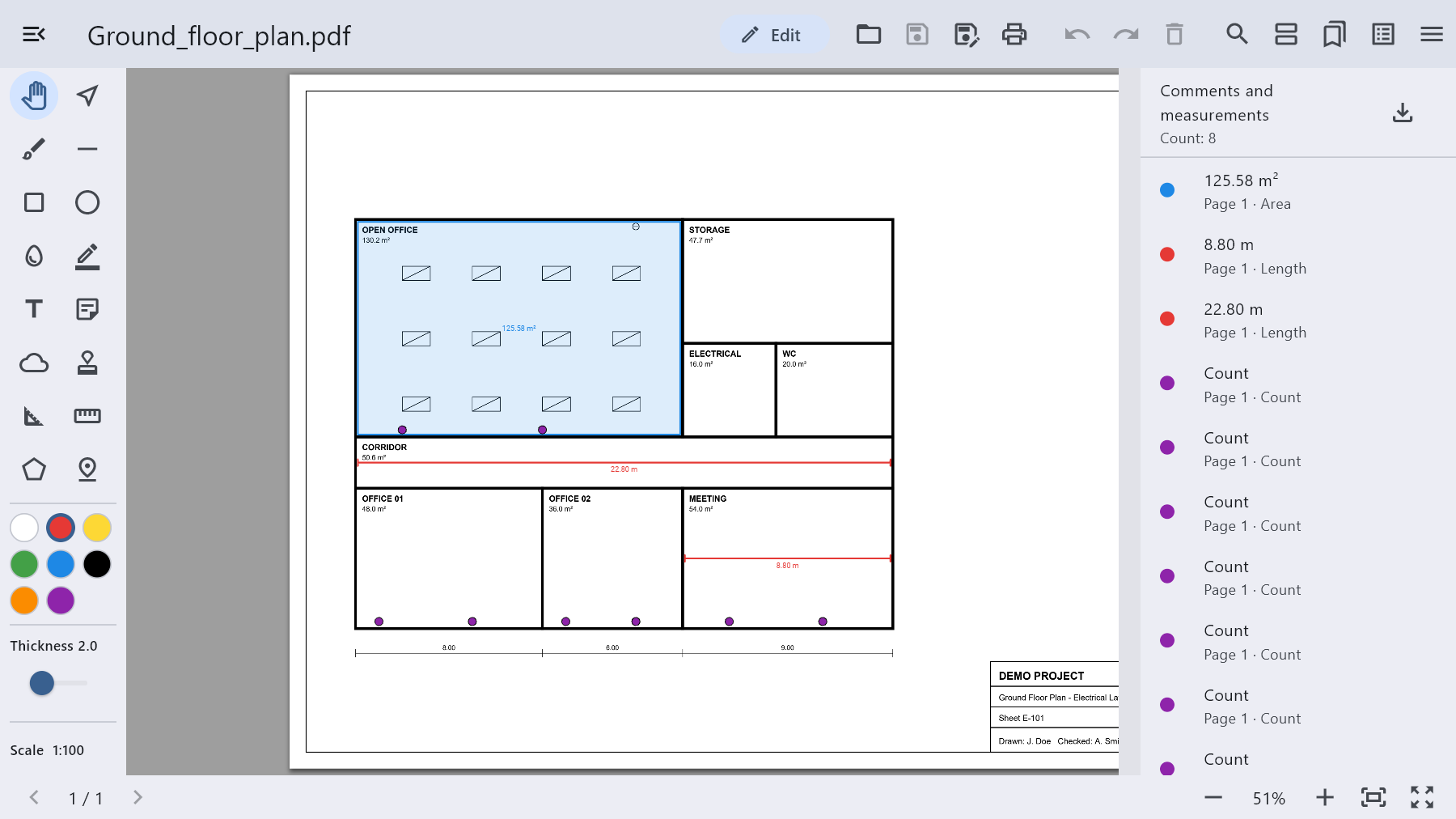
Set the drawing scale (1:50, 1:100 …) or calibrate on a known dimension, then measure lengths and areas and count items. All measurements are listed in one panel and can be exported to Excel/CSV for quantity takeoff.
Edit the PDF itself
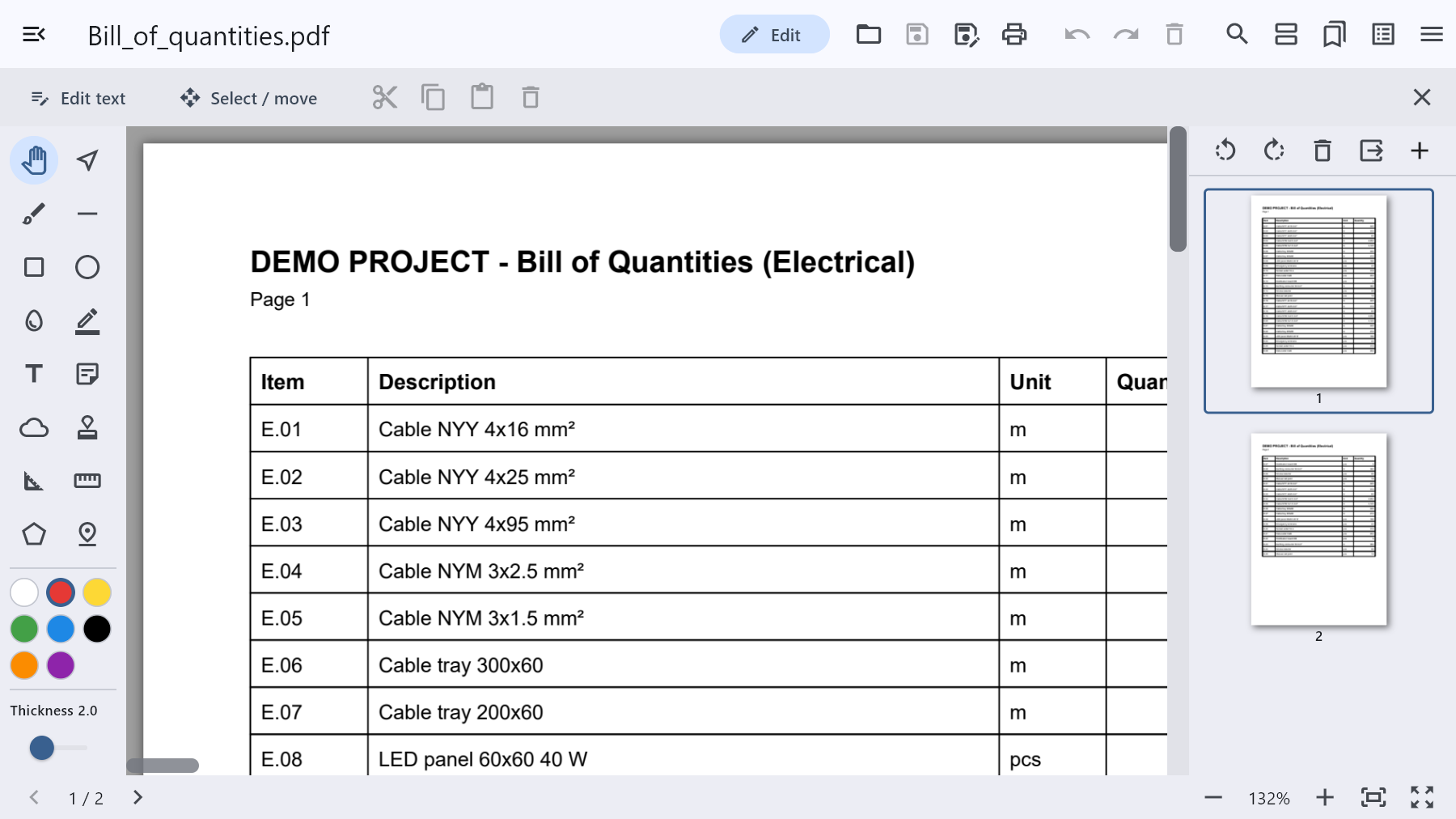
Edit existing text line by line, keeping the original font where possible. Select, move, copy, paste or delete page content like in a CAD program.
Pages and files
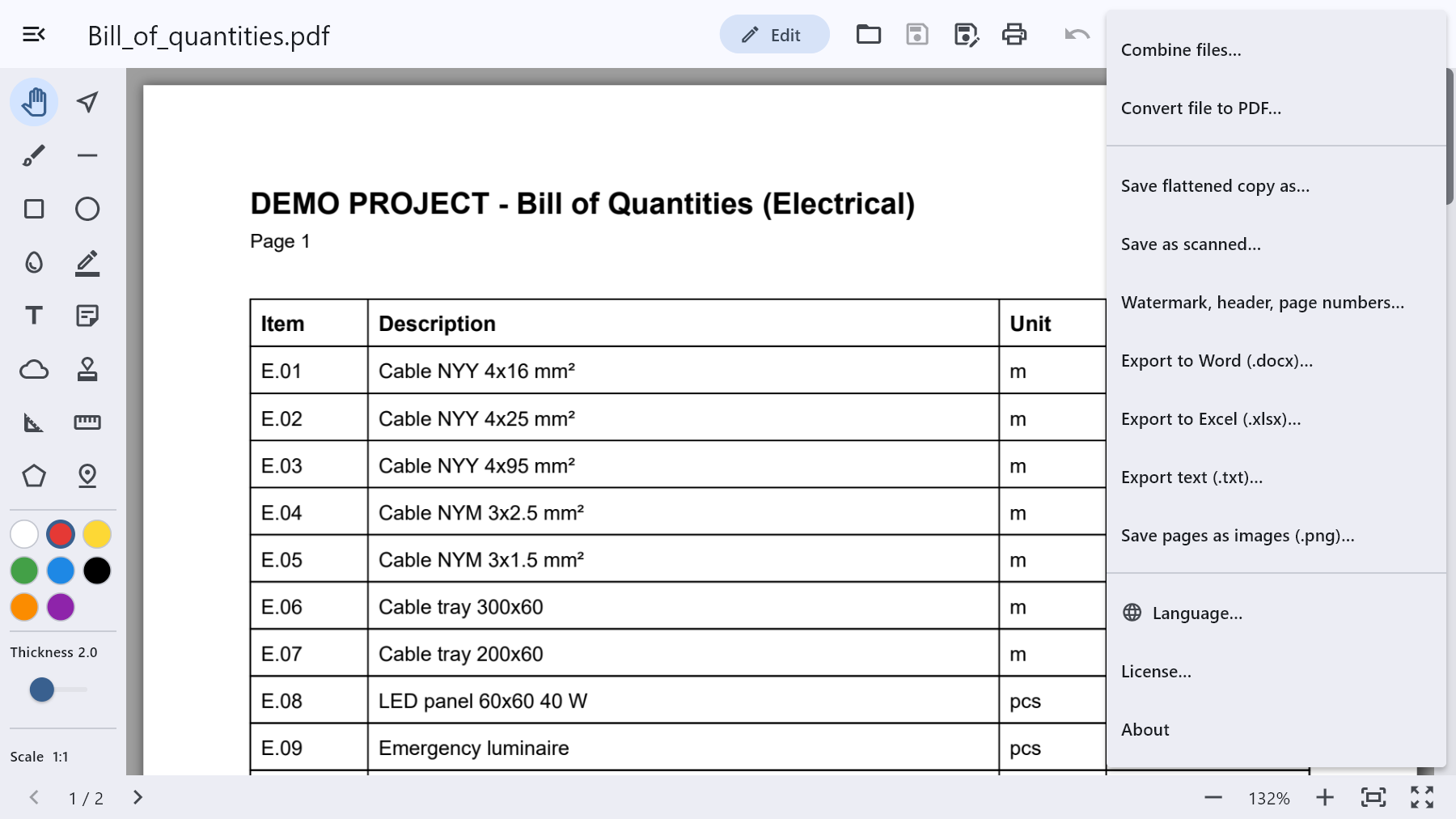
Combine PDFs, images, text and Office files into one PDF. Insert, delete, rotate and reorder pages, add blank pages, save selected pages as a new file, add watermarks, headers and page numbers.
Word and Excel
Export PDFs to Word and Excel: tables become real tables (merged cells, colors, numbers as numbers), tables that continue over pages are joined, and images and drawings are kept.
Print preview with paper, orientation, copies, color, duplex, pages per sheet and poster printing.
Free and full version
All features are free for the first 7 days. After that the free version keeps viewing, search, comments and adding text. You can unlock the full version in two ways:
- A license from this page: EUR 5.49 for one computer, EUR 1.99 for each additional computer (up to 5 computers). Lifetime, one-time payment.
- Pofuduk Pro in the Microsoft Store: one-time purchase at the price shown in the Store, usable on all your PCs where you sign in with your Microsoft account.
How do I activate the license?
- Install Pofuduk for free from the Microsoft Store.
- Choose the number of computers on this page and buy the license.
- Open Pofuduk and choose License… from the ☰ menu at the top right.
- Under Load existing license enter the e-mail you used for the purchase and press Load license. You do not need to buy anything in the Microsoft Store.
To move the license to another computer: License… → Remove license from this computer, then load it on the new computer with the same e-mail. The app verifies the license over the internet.
Languages: English, Türkçe, Deutsch, Français, Español, Русский, العربية, 简体中文, 日本語, 한국어, اردو.
Support: dev@emechcenter.com
Reviews
There are no reviews yet.